STEP 1. Apply for tickets
* You can apply from reception start
application period (JST)
2月14日(土) 12:00~
Application process
①Enter customer information
*Be careful not to enter the wrong phone number!
② Select desired performance, seat type, number of tickets, etc. from the application screen
③Application completed
* We will provide you with a 4-digit reception number.
STEP2. 料金を支払う
payment method
credit card


STEP3. チケットを受け取る
Tixplus E-Tickets
◆Tickets will be delivered via the “Tixplus E-Tickets” app.
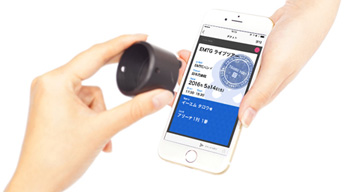
ダウンロード可能な端末はこちらから確認してください
チケットダウンロード方法
E-tickets will be available for pickup via the “Tixplus E-Tickets” app. Please check the ticket page for each performance for the scheduled pickup start date.
受取開始後、ダウンロードや手順などの詳細は、応募時にご登録されたメールアドレスにお送りいたします。
「plusmember.jp」を受信できるよう設定してください。
Notes
・You may not be able to use this service depending on your environment, so please check your own usage environment in advance from ` `Recommended environment'' on the e+WEB site top menu.
・Due to system maintenance, applications, payments, and receipt procedures will not be possible from 2:00 AM to 8:00 AM on the first and third Thursday of each month.
・If your internet connection is interrupted during the application process, the application may not be completed. In that case, please check "Track My Order".
・Resale of tickets is strictly prohibited under any circumstances. If a violation is discovered, we may take strict action such as withdrawal from membership.
・Please purchase tickets through official sales channels (performance organizers, play guides, fan clubs, etc. that have received official sales permission from the organizer). The validity of tickets purchased through non-official sales channels is not guaranteed at all.
Other frequently asked questions not listed above