STEP 1. Apply for tickets

* You can apply from reception start

application period (JST)

Feb. 4 (Wed) 18:00~15th February at (Sun) 23:59

Application process

①Enter customer information

*Be careful not to enter the wrong phone number!

② Select desired performance, seat type, number of tickets, etc. from the application screen

③Application completed

* We will provide you with a 4-digit reception number.

STEP2. Lottery sales Check the results

Lottery sales Results confirmation period (JST)

Feb 26 (Thu) 13:00~March 2nd (Mon) 21:00

Log in to the Track My Order page in Results confirmation period (JST) to see the results

* To log in, you need a reception number (4 digits) and a phone number at the time of application.

STEP 3. Pay the fee

payment method

credit card

STEP 5. Receive your ticket

Tixplus E-Tickets

◆Tickets will be delivered via the “Tixplus E-Tickets” app.
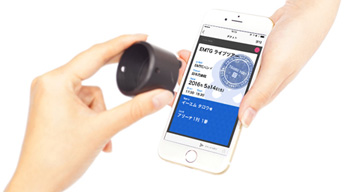
Please check here for available devices

You can only receive the tickets on the smartphone device that you registered with“Tixplus E-Tickets” app.


How to download tickets

E-tickets will be available for pickup via the “Tixplus E-Tickets” app. Please check the ticket page for each performance for the scheduled pickup start date.

After receiving the start, details such as downloads and instructions will be sent to the email address you registered at the time of application.
Set up to receive "plusmember.jp".

Notes

・Due to system maintenance, applications, payments, and receipt procedures will not be possible from 2:00 AM to 8:00 AM on the first and third Thursday of each month.

・If your internet connection is interrupted during the application process, the application may not be completed. In that case, please check "Track My Order".

・Ticket resale is strictly prohibited under any circumstances.

・Please purchase tickets through official sales channels (the event organizer, a ticket provider officially authorized by the organizer, a fan club, etc.). The validity of tickets purchased through any other channels cannot be guaranteed.

Other frequently asked questions not listed above

Ticket application

Please enter the following information:

・Plus member ID
If you do not have a Plusmember ID, please register [here].
·password
・Smartphone phone number registered to your Plus member ID
*Please enter the correct phone number of the person attending.
*If the phone number is incorrect, you will not be able to download the ticket.
[Phone number] requires a telephone contract
Please note that numbers for devices with data-only contracts cannot be registered.

■Applicant■

【Plus member ID】(Required)

【password】(Required)

【telephone number】(Required)
*Please enter without hyphens.
*Please enter without including the country code.
*Phone number registered to your Plus member ID.
*Required when downloading tickets

[Phone number (for confirmation)](Required)
Please enter it again to confirm


Please read the following items and check the boxes that you confirm and agree to.
